
The problem with only counting submitted feedback
Most product teams measure demand by what users submit: portal posts, upvotes, NPS verbatims, or survey responses. That’s useful, but it’s incomplete. The “silent majority” is the demand that shows up in support tickets, live chat, call transcripts, demo notes, and renewal conversations—and never becomes a formal request. If you don’t quantify it, your prioritization model quietly overweights loud, portal-native users and underweights the customers who ask in the moment and move on.
A Silent Majority Audit is a lightweight, repeatable way to turn those conversations into structured feature signals you can score alongside “submitted” requests. Done well, it also reduces the bias that comes from individual reps interpreting customer intent differently.
What counts as unsubmitted feature demand
Unsubmitted demand is any feature need expressed outside your normal feedback intake. Common sources include:
- Support: “Is there a way to…?”, workaround instructions, repeated configuration help, escalations.
- Sales: deal blockers, competitive gaps, security/procurement requirements framed as product asks.
- CS: renewal risk notes, onboarding friction, “they expected X” statements.
- Calls: Gong/Zoom recordings where customers describe jobs-to-be-done and constraints.
The audit doesn’t try to replace your public portal. It complements it by adding a missing dataset: intent expressed in high-context conversations.
The Silent Majority Audit workflow
1) Define a tight taxonomy before you start counting
Counting without definitions produces noise. Start with a small taxonomy that your team can apply consistently:
- Request type: net-new feature, improvement, integration, admin/security, reporting/exports, performance/reliability.
- Customer intent: adoption friction, efficiency, compliance, scalability, risk reduction, revenue growth.
- Strength of signal: casual mention, repeated question, stated blocker, “must-have” for renewal or signature.
Keep it simple. If it takes five minutes to categorize one mention, reps won’t do it and analysts won’t trust it.
2) Sample conversations intentionally (don’t just pull “recent”)
You want a sample that reflects reality, not what happened to be busy last week. A practical approach:
- Pick a fixed window (e.g., last 30–60 days).
- Sample across segments (SMB/mid-market/enterprise), plans, and industries.
- Include both wins and losses from Sales, not just active pipeline.
- Include “resolved” support tickets too—workarounds often hide real demand.
Even 100–200 conversations can be enough to surface the top themes, as long as the sampling is balanced.
3) Extract feature mentions as atomic “signals”
In the audit, one conversation can generate multiple signals. Record each signal as a single row with:
- Feature/theme label (your taxonomy)
- Source (support, sales, CS)
- Customer/account (or anonymized ID)
- Segment + ARR (or rough revenue band)
- Signal strength
- Short evidence snippet (1–2 sentences, paraphrased)
Keep the evidence short. You’re building a scoring dataset, not a transcript library.
4) De-duplicate into themes without losing frequency
The biggest failure mode is merging too early. First, keep raw signals so you can count frequency. Then roll them up into themes (e.g., “SSO enforcement” and “SAML role mapping” might belong under “Enterprise SSO controls,” but you still want to know which sub-asks are most common).
This is where a feedback platform can help. Tools like canny.io are designed to centralize requests, dedupe them into clean ideas, and still retain the underlying evidence and count.
5) Quantify demand using a simple, auditable model
You don’t need an elaborate system to get value. Start with three numbers per theme:
- Conversation Frequency (CF): number of unique conversations where the theme appeared.
- Account Reach (AR): number of unique accounts mentioning it (prevents one noisy customer skewing results).
- Revenue Exposure (RE): sum of ARR for accounts tied to “blocker” or “renewal risk” signals.
Then create a single “Silent Demand Score” you can tune:
- SDS = (CF × 1) + (AR × 2) + (RE weight × 3)
The weights aren’t sacred; what matters is that you choose them deliberately, document them, and keep them stable long enough to compare trends month to month.
Feeding silent demand into your prioritization model
Map the audit themes to your existing scoring inputs
If you already use RICE, MoSCoW, or a custom scoring system, treat “silent demand” as an additional demand channel, not a replacement. A practical mapping looks like this:
- Reach: use Account Reach (AR) as a proxy.
- Impact: use Signal Strength plus whether it’s tied to retention or sales blocking.
- Confidence: increase when the theme appears across functions (Support + Sales + CS) and segments.
- Effort: unchanged—still estimated by engineering.
The result is a more honest demand picture: portal upvotes show explicit demand, while the audit captures implicit demand.
Prevent reactive work from hijacking your scores
Silent demand often shows up as “urgent” because it’s attached to a live deal or an escalated ticket. That urgency is real, but it can distort your roadmap if you treat every blocker as a roadmap item. One safeguard is to separate “roadmap scoring” from “reactive capacity” and reserve a fixed slice of time for interrupts. If you struggle with that balance, the idea behind avoiding the priority inversion backlog trap applies directly here: urgent requests need a system so they don’t quietly outrank strategic work by default.
Close the loop with the teams generating the signals
The audit only works if Support and Sales see that their conversations change outcomes. Share a monthly digest:
- Top 10 silent demand themes (with CF/AR/RE)
- What moved into discovery, what moved onto a roadmap, and what was declined
- What questions to ask customers next to raise confidence (e.g., “Is this a blocker or a preference?”)
That last point matters: if you want better data, you need to teach the organization how to collect it.
Operational tips to make the audit sustainable
Run it on a cadence with a fixed budget
A Silent Majority Audit is most valuable when it becomes a routine input, not a one-time initiative. Pick a cadence (monthly or quarterly) and a fixed effort budget (for example, two hours per week for one analyst plus 15 minutes per rep for tagging).
Use consistent tagging in the tools your teams already use
The easiest way to fail is to require reps to update a separate spreadsheet. Instead, capture signals close to where they happen (support helpdesk, CRM notes, call recording tools) and sync them into a central place for dedupe and scoring. The key is consistency: the same tags, the same definitions, and a clear “done” standard for a captured signal.
Watch for bias and false positives
Conversation data is messy. A few guardrails help:
- Don’t confuse “how do I” with “we need a feature”—some issues are documentation or onboarding.
- Normalize for volume—a spike in one week may reflect a campaign, outage, or a new cohort.
- Separate competitive checkboxes from real workflows—Sales notes can overstate requirements unless validated.
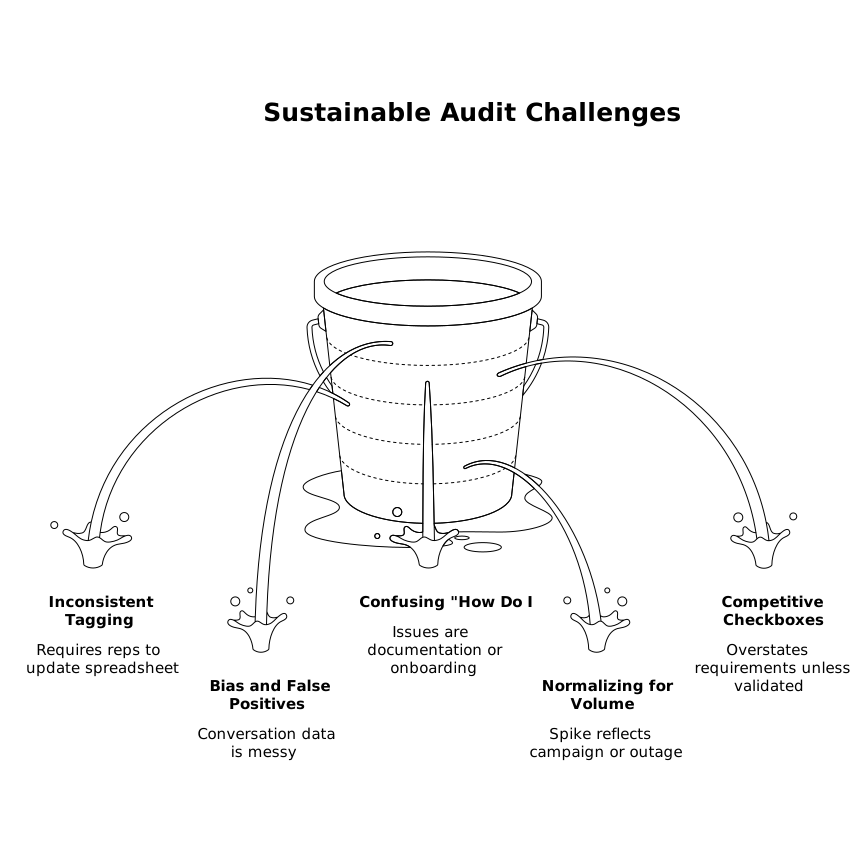
When you apply these safeguards, your prioritization model becomes harder to game and easier to trust.
What you get at the end of the audit
You’ll end up with a ranked list of themes that represent demand your portal never saw, backed by counts, revenue context, and evidence. More importantly, you’ll have a repeatable mechanism for turning day-to-day conversations into product direction—without relying on anecdotes.