
What “invisible conversions” look like in B2B SaaS
In B2B SaaS, the moments that signal real buying intent often happen outside a classic “thank you” page. A prospect might click an email link, skim a pricing PDF, and only then book a Calendly call days later. None of that reliably shows up as a neat conversion path—especially if you avoid cookies and personal tracking.
Invisible conversions are these high-intent actions that don’t always create a pageview you can tag as a goal, or that happen in tools you don’t control (Calendly, your email service, a PDF hosted on a CDN). The goal is not to recreate individual journeys. It’s to measure demand and content performance in aggregate, with clear definitions you can trust.
Start with a simple measurement plan
Before touching any tool, write down three things:
- The action you consider meaningful (e.g., “Booked a demo,” “Clicked onboarding email,” “Opened security whitepaper”).
- Where it happens (your site, an external booking page, a PDF link, an email client).
- What you can observe without cookies (a pageview, an outbound click, a file download, a custom event, or a webhook).
This prevents a common trap: measuring what’s easy (pageviews) instead of what matters (qualified intent).
Tracking Calendly bookings without cookies
Calendly is often the closest thing to a B2B “purchase” event. But booking flows can be embedded, hosted on calendly.com, or routed through redirects—and your analytics needs to handle whichever setup you use.
Option 1: Use a scheduling confirmation page on your own domain
The cleanest approach is to send successful bookings to a confirmation page you control, for example /demo-booked. Then you can track it as a goal based on pageviews. This works well when your Calendly flow supports a post-booking redirect or when you can wrap the experience in your own pages.
In Plausible Analytics, you can set a goal for visits to that path without adding code. Because Plausible works without cookies and reports in aggregate, you get a reliable count of booked calls by source, landing page, and campaign without collecting personal data. Link: plausible.io.
Option 2: Track the “Calendly link click” as intent
If you can’t guarantee a redirect back to your site (or if many users book on calendly.com), the next-best measurement is to track the outbound click to Calendly. This doesn’t prove the meeting was booked, but it is a strong intent signal, and it’s consistent.
Good practice is to use a dedicated link for each context (pricing page vs. product page vs. email footer) so you can see which placements are doing real work.
Option 3: Record bookings via webhook and send a server-side event
For the most accurate booking measurement without relying on front-end cookies, use Calendly webhooks. When a meeting is created, your server receives an event. From there, you can record an aggregated conversion event in your analytics setup (without attaching it to a person). This is ideal for teams that want “booked meeting” counts they can trust, even when the booking happens off-site.
Keep the event definition strict: only count confirmed bookings, and exclude reschedules/cancellations unless you explicitly want them in the metric.
Tracking email clicks as conversions, not just email metrics
Email platforms already report click rates, but those numbers often live in a separate dashboard and don’t connect to on-site behavior. For B2B SaaS, the useful question is: Which emails drive meaningful site actions?
Use tagged links so traffic is attributable in your web analytics
Add UTM parameters to links in campaigns and key lifecycle sequences (trial onboarding, webinar follow-up, security review, reactivation). Keep it simple and consistent:
- utm_source: your ESP or lifecycle group (e.g., customerio, hubspot, lifecycle)
- utm_medium: email
- utm_campaign: onboarding-week1, webinar-apr, security-review
- utm_content: optional for button vs. text link, or multiple CTAs
When someone clicks, the visit lands on your site with clear campaign context. In a privacy-friendly tool like Plausible, you can view campaign performance with automatic channel grouping and see which email campaigns are associated with high-intent goals (like demo requests or documentation downloads) without building complicated reports.
Define one “email conversion” per email type
Avoid counting every click as a conversion. Instead, map the email’s purpose to a single meaningful next step:
- Onboarding email → “Visited setup page” or “Reached integration docs.”
- Content email → “Downloaded PDF” or “Viewed webinar replay.”
- Sales sequence → “Clicked Calendly link” or “Visited pricing.”
This creates a clean signal: each email type has a measurable outcome that reflects progress toward revenue.
Tracking PDF views and downloads without user identifiers
PDFs are classic invisible conversions in B2B: security overviews, case studies, ROI calculators, and procurement checklists. The challenge is that “viewed a PDF” can mean anything from a one-second open to a deep read. So treat PDFs as a tiered signal.
Tier 1: Track file downloads from your site
If your PDF is linked from your website, track the download click as a goal. This is usually enough to answer the practical question: Which pages and campaigns drive document interest?
Tier 2: Use a landing page before the PDF
When a PDF is strategically important (security, pricing, enterprise case study), consider placing it behind a short landing page that describes the document and links to the file. Then you can track:
- Landing page views (demand)
- PDF link clicks (intent)
This also avoids losing context when the PDF itself is opened in a new viewer or shared internally.
Tier 3: Measure “PDF viewed” on-site using an embedded viewer
If you embed PDFs in a viewer on your own domain, you can track a pageview as the “view” event. For deeper engagement, you can also track scroll depth or a custom event (for example, “reached page 3”) without cookies by firing events based on in-page interactions. Keep it aggregate and minimal: measure what helps you improve content, not who read it.
Make these conversions comparable across channels
Once you have bookings, email-driven actions, and PDF engagement tracked, standardize how you report them:
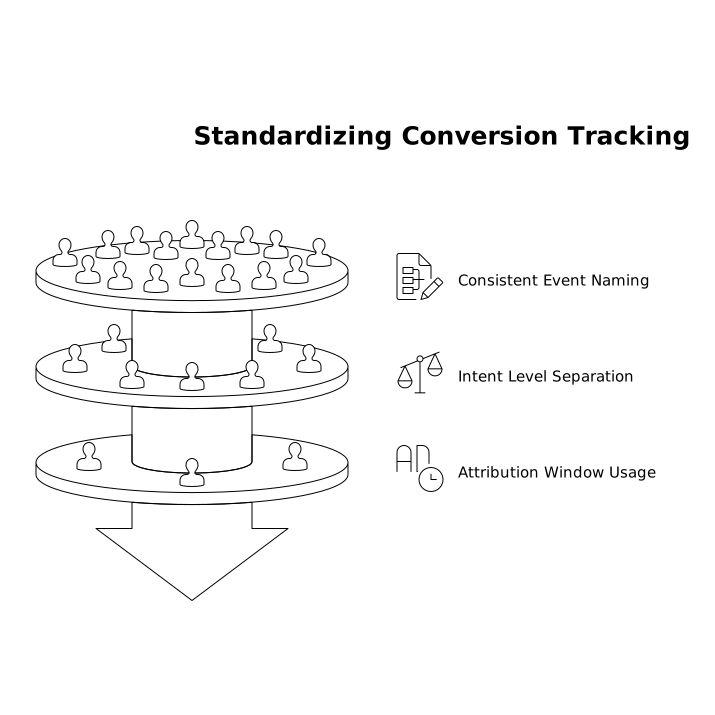
- Name events consistently (e.g., Demo Booked, Calendly Click, PDF Download).
- Separate intent levels: treat “Calendly click” differently from “Demo booked,” and “PDF download” differently from “Pricing page view.”
- Use the same attribution window in your team’s discussions (for example, weekly reporting by channel and landing page).
The benefit of a simpler, privacy-first approach is that you can spend less time reconciling dashboards and more time acting on patterns—like which topics consistently lead to booked calls, or which email sequences reliably move trials toward activation.
Common pitfalls to avoid
- Counting “click to book” as “booked”: label it as intent, not completion.
- Too many goals: if everything is a conversion, nothing is. Keep 5–8 core goals.
- Forgetting internal sharing: PDFs often circulate in procurement. Expect “dark traffic” and focus on trends over time.
- Chasing individual journeys: in privacy-friendly analytics, the win is trustworthy aggregate signals, not user-level reconstruction.