
Priority inversion is how “urgent” work quietly breaks your roadmap
Priority inversion in a product backlog happens when the work that should be highest priority (critical bugs, safety issues, key customer commitments) gets delayed behind work that is merely loud, recent, or politically visible. It looks like “we’re busy,” but outcomes degrade: cycle times stretch, teams churn, and customers feel ignored even while the backlog keeps growing.
This trap is especially common when incoming requests share the same lane as planned work. A new request enters, gets labeled “urgent,” and suddenly a mid-sprint feature is paused. Then another urgent item arrives. Eventually, nothing truly important finishes on time—because the system has no stable rules for urgency.
How to spot priority inversion early
You can detect priority inversion before it turns into chronic firefighting by watching for a few repeatable signals.
The backlog says “high priority” too often
If everything is P0/P1, nothing is. When the top half of the backlog is marked urgent, your priority labels have stopped meaning “must be done now” and started meaning “someone wants it soon.” That’s the first warning sign.
Old critical items keep aging without a decision
Look for issues that are both high impact and high age. If a production bug has been open for three weeks, the team isn’t choosing to ignore it—your intake and triage rules are forcing it to compete unfairly with new work.
Cycle metrics flatten while WIP grows
Priority inversion usually shows up as higher work-in-progress (WIP) with no increase in throughput. You see more items “in progress,” more context switching, and fewer items actually closing. If you’re already running cycles, this becomes visible quickly.
Escalations become the de facto prioritization system
When the fastest way to get something done is to ask in Slack, ping a manager, or escalate in a customer call, you’ve outsourced prioritization to interruptions. That is priority inversion as a social process.
Fix it with SLA-based triage instead of ad hoc urgency
The most reliable antidote is to separate intake from commitment. SLA-based triage does that by defining response expectations for different classes of work, without promising that all urgent work becomes immediate engineering work.
Step 1: Define request classes with explicit SLAs
Start with a small set of request types that your team can recognize quickly. Typical examples:
- Production incident: acknowledge in 15 minutes, mitigation plan in 60 minutes
- Severe bug affecting many users: acknowledge same day, triage decision in 24 hours
- Customer-blocking issue for a key account: acknowledge in 4 hours, decision in 48 hours
- Normal feature request: acknowledge in 2–5 business days, decision in a planning cycle
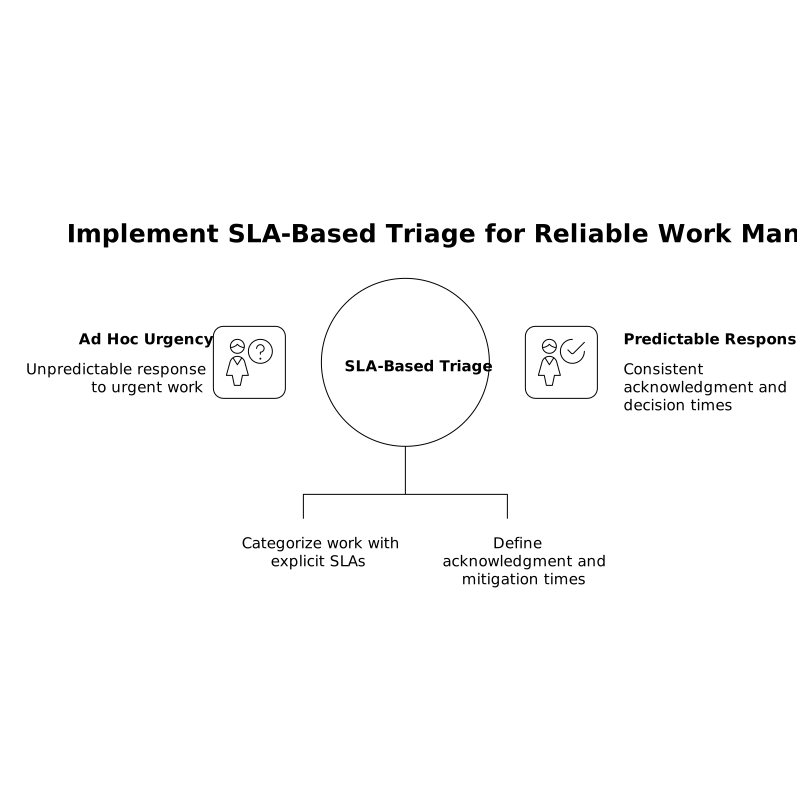
Note what these SLAs promise: acknowledgement, triage, and a decision. They do not promise immediate implementation. This distinction is what stops “urgent” from hijacking everything else.
Step 2: Build a triage queue that is separate from the delivery queue
Many teams mix new requests directly into the same backlog view used for sprint/cycle execution. Instead, create a dedicated triage state (or dedicated project) so new items get reviewed under the SLA clock before they are allowed to compete with committed work.
Tools that make this lightweight help a lot. In Linear, teams commonly use a clear workflow state like “Triage” plus labels (severity, request type) so the triage queue stays fast and searchable, and the delivery queue stays stable. The key is consistency, not tool complexity—and linear.app is built around that fast, structured cadence.
Step 3: Make triage output binary
Triage should end with a small set of outcomes:
- Fix now (interrupt allowed under strict conditions)
- Schedule (commit it to a future cycle with an owner)
- Defer (keep it visible, but explicitly not scheduled)
- Close (not a bug, duplicate, out of scope)
The point is to avoid “we’ll see.” Indecision is where inversion grows, because new items keep arriving and none of them get a durable decision.
Add cycle guards so urgent work can’t consume all capacity
SLA triage prevents chaos at intake, but you also need protection during execution. Cycle guards are rules that keep delivery predictable even when reality changes.
Guard 1: A reactive budget that is explicit
Pick a fixed percentage of capacity for reactive work (bugs, incidents, customer escalations). Many teams start around 10–20% and adjust based on evidence. When the reactive budget is exceeded, you don’t silently steal time from planned work—you escalate the tradeoff: drop a planned item, extend the cycle, or renegotiate expectations.
If you want a practical way to implement this in calendars and cycles, the “schedule budget” framing is a helpful companion to SLA triage because it makes reactive capacity visible rather than aspirational. You can adapt the approach described in Schedule Budget Method for Reactive Work to define a weekly or per-cycle reserve.
Guard 2: WIP limits that apply to the urgent lane too
Urgent work often bypasses WIP limits. That is exactly how it becomes corrosive. Set a small WIP limit for reactive items in progress (for example, no more than 1–2 per team). If a new urgent issue arrives, something else must pause explicitly, with a visible owner and a clear reason.
Guard 3: A “break-glass” policy for true interrupts
Define the few conditions under which you will interrupt the cycle immediately (security incident, widespread outage, data loss risk). Everything else goes through SLA triage and either gets scheduled or deferred.
This reduces social pressure. People stop trying to label normal requests as emergencies because the team has a shared definition of an emergency.
Guard 4: Aging rules to prevent quiet starvation
Priority inversion also happens when older, important work keeps getting pushed behind fresh requests. Add an aging rule: if a high-severity item sits in triage beyond its SLA or remains unscheduled beyond a set number of cycles, it must be reviewed in planning with a sponsor.
To make this data-driven, you can transform tickets into recurring themes and root causes. A workflow like the one described in a short ticket-to-root-cause heatmap process helps you prove which “urgent” issues are actually symptoms of the same underlying defect or workflow gap.
What this looks like in day-to-day backlog operations
Once SLA triage and cycle guards are in place, backlog behavior changes in a few practical ways:
- New requests get acknowledged quickly, but only true emergencies interrupt delivery.
- Planned work finishes more often, because reactive work has a budget and WIP constraints.
- Stakeholders get clearer answers: “We will decide by Thursday” instead of “We’ll try.”
- The backlog becomes a decision log, not a pile of unresolved anxiety.
The goal isn’t to eliminate urgency—it’s to stop urgency from being the only prioritization method you have.
Vertical Video