
The Hard-Landings method in plain terms
Meetings run over. That’s normal. What isn’t normal is letting one late call quietly eat the next two hours of your day. The “Hard-Landings” method is a short, repeatable workflow—about seven minutes—that turns an overrun meeting into a same-day reschedule without breaking your time blocks or creating awkward back-and-forth.
The idea is simple: you don’t “let the meeting drift.” You land it. You close it decisively, capture what matters, and immediately propose a new time while context is fresh and calendars are still flexible.
Why overruns wreck time blocking
Time blocking works because it creates clear start-and-stop boundaries. Overrun meetings break those boundaries in three ways:
- They spill into protected work blocks, which forces rushed decisions or skipped deep work.
- They create hidden rescheduling debt: you’ll “fix it later,” and later becomes a whole second administrative session.
- They blur ownership: if no one names the overrun, everyone assumes someone else will handle the follow-up.
Hard-Landings restores the boundary. It’s not about being rigid; it’s about being reliable with your calendar so your team can rely on you too.
The 7-minute Hard-Landings workflow
Use this the moment you realize the meeting won’t finish on time. The steps are designed to fit inside the final minutes of the current meeting and the first minute after it ends.
Minute 0 to 1: Call the landing
Don’t wait for the clock to “save you.” Name it clearly and neutrally:
- “We’re at time. I need to hard-stop to protect the next block.”
- “Let’s land this and reschedule the remaining items today.”
This sets expectations without blaming anyone. It also signals that you’re not abandoning the topic—you’re managing it.
Minute 1 to 3: Lock the minimum viable outcome
Before anyone drops, get three concrete things on the record:
- Decision(s) made (even if the decision is “not decided”).
- Open question(s) that require another slot.
- Next owner for prep (who brings what to the reschedule).
This is the difference between a clean reschedule and a messy restart. If you use shared agendas and meeting notes, capture these bullets live so everyone sees the same “end state.” This is an area where a unified workspace like Routine helps: agenda, notes, and the follow-up action can sit next to the calendar event instead of being scattered across tabs.
Minute 3 to 5: Convert leftovers into a tight “continuation” agenda
Most rescheduled meetings fail because they are vague (“continue discussion”). Instead, write a continuation agenda that is small and time-boxed:
- Title: “Project X decision continuation (20 min)”
- Goal: “Decide A vs B and assign next steps”
- Items: 2–3 bullets maximum
- Pre-work: one link or one artifact, not a reading list
If you’re dealing with reactive work and constant schedule pressure, this is also where you protect the rest of the day: you’re explicitly shrinking the future meeting so it fits a real gap. (Related: the “schedule budget” idea is useful when your calendar is constantly under attack; see Schedule Budget Method for Reactive Work Without Overcommitting Your Calendar.)
Minute 5 to 6: Offer same-day options that don’t break time blocks
Same-day reschedules work when they respect two constraints:
- They fit into existing “soft” space (buffer blocks, admin blocks, or collaboration windows).
- They are short (often 15–25 minutes) and purpose-built.
Propose two times, not ten. Two options signal leadership and reduce negotiation:
- “I can do 2:10–2:30 or 4:00–4:20 today. Which works?”
- “If neither works, I’ll send tomorrow morning options.”
If you time block, you already have the structure. You’re not “finding time,” you’re choosing a slot that doesn’t cannibalize deep work.
Minute 6 to 7: Send the reschedule immediately with context
Right after you hang up, send the new invite (or message) while everyone still remembers why it matters. Include the continuation agenda and the three locked bullets (decisions, open questions, owner). This prevents re-litigation and makes the next session faster.
If you’re collaborating, shared notes reduce confusion: anyone joining late can scan the end-of-meeting summary and arrive aligned. When your tasks and calendar live together, it’s also easier to turn “owner prep” into a scheduled action instead of a vague to-do.
Make Hard-Landings easier with a small calendar design tweak
The workflow is seven minutes, but it becomes nearly automatic if your calendar has three elements:
- Micro-buffers: 5–10 minutes between high-context meetings.
- A daily “reschedule window”: one block you’re willing to spend on continuation calls.
- Dedicated deep-work blocks: clearly labeled and treated as real commitments.
This isn’t about adding more meetings. It’s about acknowledging reality: some discussions need two passes. The trick is to make the second pass deliberate, brief, and scheduled without collateral damage.
Common failure points and how to avoid them
Failure point 1: Apologizing instead of landing
Long apologies invite the group to “just keep going.” A short, confident hard-stop is kinder to everyone’s schedule.
Failure point 2: Rescheduling without a tighter scope
If you don’t shrink the agenda, you’re rescheduling the same problem. Continuation meetings should be narrower than the original.
Failure point 3: Letting action items float
The moment you name an owner, turn it into a concrete task with a due time. If you’re already planning your day through time blocks, scheduling that prep work is what keeps the follow-up meeting short.
When not to use Hard-Landings
Hard-Landings is for overruns that threaten your next block. Don’t force it when:
- The group is in a true incident (production outage, safety issue) where stopping is riskier than continuing.
- The last two minutes will genuinely finish the decision and won’t cascade into other commitments.
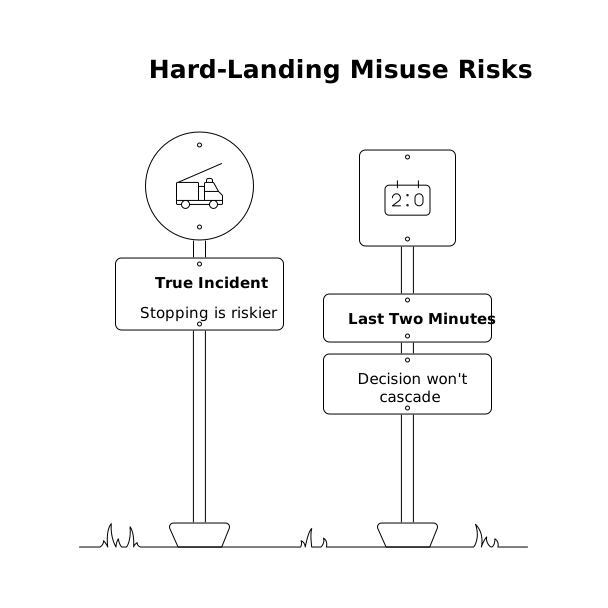
Even then, keep the principle: protect your schedule by making the tradeoff explicit, not accidental.
A quick template you can reuse
Meeting close script: “We’re at time and I need to hard-stop. Before we drop: what did we decide, what’s still open, and who owns the prep for the continuation?”
Reschedule message: “Thanks all—continuation invite coming for [time option A] or [time option B]. Goal: [single goal]. Agenda: [2–3 bullets]. Prep owner: [name] to bring [artifact].”
Run that a few times and your calendar starts behaving again—without needing heroic discipline or late-night catch-up.
Vertical Video