
Why AI-generated UIs need a safety net
AI can generate impressive React screens quickly, but it often struggles with one thing users feel immediately: flow integrity. A prototype might look correct while still allowing impossible states—submitting a form before required data exists, navigating to a “success” page without payment, or showing admin controls to the wrong role. These aren’t just edge cases. They’re common when UI is produced from prompts, partial specs, or evolving requirements.
A finite state machine (FSM) gives your app a backbone: a clear set of states, the allowed transitions between them, and the events that cause those transitions. In practice, it’s a guardrail that prevents invalid app flows—even when the UI layer is being iterated on rapidly or partially generated by AI.
What a state machine changes in a React app
Most React apps encode flow rules across scattered places: button handlers, hooks, route guards, and conditionals. The result is “implicit state”: the app can end up in a situation nobody modeled explicitly. State machines flip this around. You model the lifecycle first, then the UI becomes a projection of that lifecycle.
With XState, you can define:
- States (e.g.,
idle,editing,submitting,success,error) - Events (e.g.,
CHANGE,SUBMIT,RETRY) - Guards to block transitions when prerequisites are missing
- Actions to update context, log telemetry, or trigger side effects
- Services (invocations) for async work like API calls
Crucially, if an event is not valid in the current state, it simply won’t transition. That alone eliminates a class of bugs that AI-generated UI tends to introduce.
A practical example: checkout flow that can’t lie
Consider a checkout flow generated from a prompt: “Create a cart, checkout, pay, show confirmation.” The UI might include a “Pay now” button even when user data is incomplete or the cart is empty. A state machine makes those illegal moments unrepresentable.
States you actually want to guarantee
- cart: user reviews items
- details: user enters shipping/billing information
- confirm: summary and final confirmation
- paying: payment in progress
- paid: receipt/confirmation
- failed: payment failed with recoverable next steps
Now the rules become explicit: you can’t go to paying unless details are valid; you can’t reach paid unless the payment service returns success; you can’t “confirm” if the cart is empty.
Implementing XState in React without overengineering
XState can be introduced incrementally. You don’t need to rewrite routing, global state, and every component at once. Start with the flow most likely to break—onboarding, checkout, account setup, or a multi-step form—then expand.
1) Model the machine first
Write down the states and events in plain language. If a stakeholder can’t understand the diagram, the flow is too complex or too implicit. For AI-generated apps, this step is where you convert a prompt into enforceable behavior.
Keep “visual states” separate from “business states.” For example, loading and submitting are business-relevant. A “modal open” may be local UI state unless it affects correctness.
2) Use context for data, guards for correctness
XState context holds the data that must persist across states (form fields, cart items, selected plan, user role). Guards enforce prerequisites:
- Block
NEXTif required fields are missing - Block
SUBMITif you already submitted - Block privileged transitions if role is not authorized
This is the exact place where AI UIs tend to fail: they render the button, but they don’t enforce the domain rule everywhere. Guards enforce it once.
3) Invoke services for async steps
Network calls are where flows drift into invalid states. XState invocations make it explicit: when you enter paying, invoke the payment request; on onDone transition to paid; on onError transition to failed. Your UI cannot “pretend” success without the machine receiving the event that represents success.
4) Connect the machine to React components
Use the machine as the single source of truth for the flow. React renders based on state.value and reads data from context. User interactions send events. That’s it.
This pattern is especially useful when building with an AI app builder like lovable.dev, where screens and components can change quickly. If the UI gets regenerated, the machine still defines what is allowed. The app keeps its behavioral spine even as the surface evolves.
Patterns that specifically protect AI-generated interfaces
Make invalid states impossible to render
If a button triggers SUBMIT but the machine ignores SUBMIT in idle, you’ve already prevented a bug. Better: only render the button in the state where it’s accepted. Let the machine drive visibility and enable/disable logic.
Centralize navigation as transitions
Instead of “route first, validate later,” transition first, then route. When state changes from details to confirm, your router can follow. This prevents deep links into illegal steps unless you explicitly support them.
Use hierarchical states for complex flows
Many flows are “multi-step” but share sub-behaviors: draft vs submitting vs error. Hierarchical states (nested states) let you reuse logic and keep the model readable, which matters when the UI is evolving and multiple people (or an AI) touch the components.
Add observability where it matters
State machines are a great hook for analytics and reliability. Logging transitions gives you a clean event stream: which step failed, how often retries happen, where users abandon. If you already use tracing, you can align step boundaries with spans for clearer SLOs and debugging. If you’re designing larger workflow systems, it also pairs naturally with ideas like per-step SLOs in DAG workflows, because each state can correspond to a measurable step.
Common pitfalls and how to avoid them
Putting every UI toggle into the machine
Not every piece of UI state is a flow state. If a dropdown is open, that rarely affects correctness. Keep the machine focused on app safety and lifecycle. Use local component state for purely presentational concerns.
Mixing “data validity” with “progress”
A user can be on the details step with invalid inputs. That’s normal. Don’t create a new state for every validation condition. Keep validation in guards or derived selectors, and only transition when it’s time to move forward.
Ignoring maintainability of branching flows
AI products often accumulate branches quickly (“if enterprise plan, add approval”; “if EU, add VAT step”). Model branches intentionally with guards and clear events so the flow doesn’t become a tangled set of conditionals. If you’re managing similar complexity in no-code systems, the same thinking shows up in branching logic patterns that keep workflows maintainable.
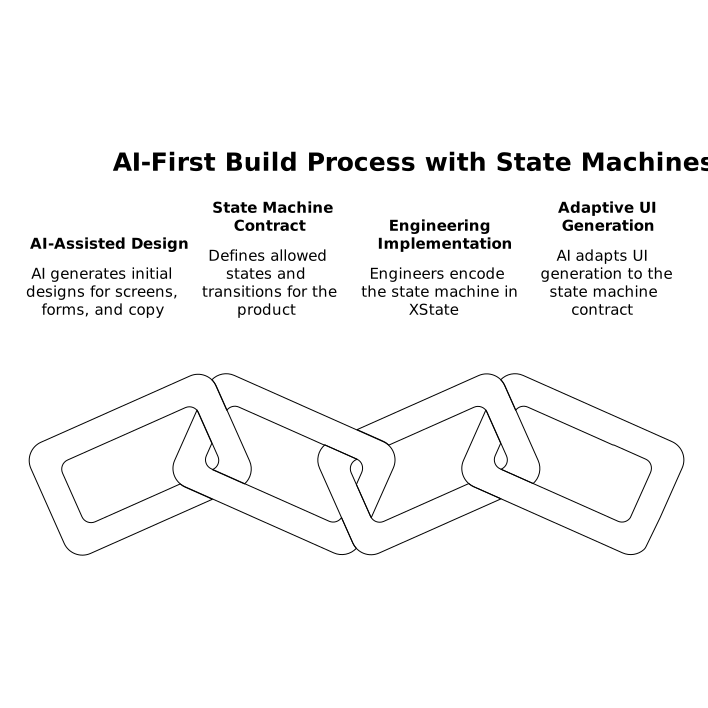
Where state machines fit in an AI-first build process
AI can draft screens, forms, copy, and even basic handlers. State machines are how you turn that draft into a trustworthy product. Treat the machine as the contract:
- Product defines the allowed states and transitions
- Engineering encodes them in XState
- AI-assisted UI generation adapts to the contract instead of silently breaking it
When your React stack is already modern and modular—like the React/Supabase/Tailwind baseline many teams use—XState adds a thin but powerful layer of correctness. It’s not about making everything more complex. It’s about making the flow explicit, testable, and hard to accidentally invalidate.