The recording dilemma in remote pairing
Remote pair programming has a problem that’s more human than technical: the best work happens in conversation, but the only “record” most teams have is whatever ends up in Git. The decisions that led there—tradeoffs, assumptions, “we tried X and it failed because Y”—often vanish the moment the call ends.
The obvious fix is recording the session. The obvious drawback is also recording the session. Screens can include customer data, production dashboards, internal docs, credentials, personal messages, and anything else that happens to pop up. Even if you trust your team, you may not be able to store that content, share it broadly, or keep it for long.
This is the remote pair programming session recording dilemma: how do you capture decisions without capturing screens?
Start by separating what you need from what you’re afraid of
Most teams don’t actually want a full replay of the code session. They want:
- Decision outcomes (what we chose)
- Rationale (why we chose it)
- Context (constraints, alternatives, unknowns)
- Follow-ups (who will do what next)
- Attribution (who was involved, for later questions)
Notice what’s not on that list: pixel-perfect screenshots of a terminal, a browser tab, or a Slack notification. If you treat “recording” as “decision logging,” a lot of privacy risk disappears immediately.
A lightweight decision record that fits pair programming
A practical approach is a short, repeatable template you can complete during or right after pairing. Keep it under two minutes to avoid turning pairing into paperwork.
Use a simple decision note format
- Decision: One sentence in plain language.
- Why: Two to four bullets: constraints, goals, and tradeoffs.
- Alternatives considered: A short list (even “do nothing” counts).
- Risks / open questions: What you’re not fully sure about.
- Next steps: Who’s doing what, and by when.
- Links: PR, issue, doc, benchmarks, or logs.
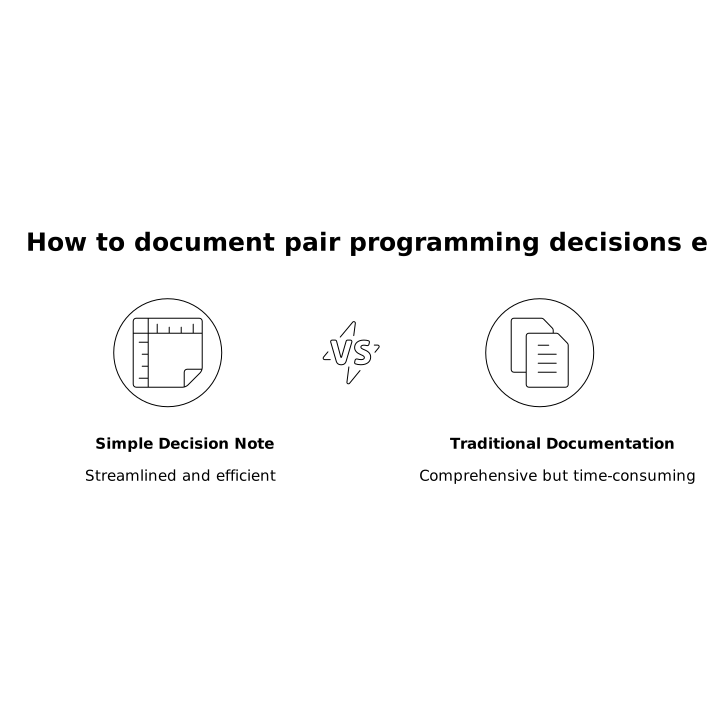
If your team already uses ADRs, this can be a “micro-ADR” that links to the PR. If you don’t, treat it like a meeting note that’s intentionally technical.
Where to store it so it actually gets used
The best storage location is the one developers will open without thinking. Common patterns:
- In the PR description: Great for code-specific decisions. Easy to review alongside diffs.
- In an “Engineering Decisions” folder: Good for architectural choices that outlive a single PR.
- In the issue tracker: Helpful when pairing is part of an investigation or bug fix.
Whichever you choose, add a consistent label such as “Decision log” so it’s searchable.
Capturing the conversation without capturing the screen
You can capture decisions in three main ways, in order of increasing automation:
1) Live scribe notes
One person writes brief notes while the other drives. Then you swap roles. This works well because it forces clarity: if you can’t write the decision in one sentence, you probably haven’t made it yet.
2) Post-session “two-minute recap”
Before ending the call, take 120 seconds to fill the decision note together. This is also a good time to add the PR link, a co-author line, and any follow-ups.
3) Audio-only recap clips
If writing feels too heavy mid-flow, record a short audio recap at the end: “Here’s what we changed and why.” Then transcribe it into the decision note. This keeps the artifact about reasoning, not pixels.
Privacy controls that prevent accidental leakage
Even if you don’t record screens, you still need to reduce accidental exposure during the live session—especially when pairing crosses team boundaries (interviews, contractors, open source collaborators).
This is where purpose-built pairing tools tend to be better than general video apps. For example, Tuple is designed around fast, high-resolution screen sharing and low-latency remote control, but it also emphasizes privacy features that matter in real engineering work. If your team uses tuple.app, hosts can hide sensitive apps and notifications before sharing, making it easier to keep the session focused on the code instead of worrying about what might pop up.
Even with good tooling, make a habit of:
- Closing password managers and personal messaging apps before sharing.
- Using separate browser profiles for customer-facing tools.
- Keeping production dashboards off-screen unless needed.
Make decision capture part of the workflow, not a separate chore
The main reason decision logs fail is not that people disagree with them. It’s that they feel optional.
Two small process changes help:
Add a “Decision noted?” checkbox to your PR template
If a PR involves a meaningful tradeoff—performance, security, API design, data model changes—require a short decision note. For small refactors, skip it.
Use automation to prompt the recap
If your pairing tool emits call events, you can automatically remind the team at the end of a session: “Add a two-minute recap and link it to the PR.” Tuple’s Triggers API makes it possible to hook lightweight automation into call events, which is ideal for nudges that don’t interrupt the pairing flow.
How this supports reliability and delivery without adding bureaucracy
Decision capture is not documentation for documentation’s sake. It directly improves day-to-day engineering:
- Faster code review: Reviewers see the rationale immediately instead of guessing.
- Better incident response: On-call engineers can find what changed and why.
- More durable onboarding: New teammates learn how the team thinks, not just what it built.
- Healthier async collaboration: People can disagree with the decision while still understanding it.
If you already instrument your systems with traces and spans, you can think of decision notes the same way: small, consistent metadata that makes complex work observable. The same mindset shows up in workflow engineering too—if you’re interested in that angle, the idea of making each step measurable maps nicely to per-step SLOs in DAG workflows with OpenTelemetry spans.
A practical default policy for teams
If you want something you can adopt this week, here’s a clean default:
- Don’t record screens by default. Treat screen recording as an exception requiring a specific reason.
- Always create a decision note for meaningful tradeoffs. Link it in the PR.
- Do a two-minute recap before ending the pairing session. If you forget, do it immediately after.
- Use privacy-first sharing habits and tooling. Reduce what can leak in the first place.
This approach keeps the artifact you actually need—the decision—while avoiding the artifact that creates the most risk: a replayable copy of everything that happened to be on someone’s screen.