
Mobile signatures can quietly distort your warmup signals
Email warmup is supposed to produce engagement that looks organic: opens, replies, threads, and a steady pattern of back-and-forth that mailbox providers interpret as “wanted mail.” The problem is that many warmup programs unintentionally introduce a tell: inconsistent mobile signatures like “Sent from my iPhone,” “Sent from Outlook for iOS,” or “Get Outlook for Android.”
Those signatures are common in real life, but during warmup they can create engagement patterns that don’t match the rest of your sending behavior. When the goal is to establish a stable baseline reputation, anything that makes your traffic look inconsistent across inboxes—or across days—can muddy the signals you’re trying to strengthen.
Why “Sent from iPhone” matters more during warmup than in normal campaigns
In everyday emailing, a mobile signature is just a preference. In warmup, it becomes metadata-like context that shapes how your threads read to recipients (including warmup inboxes) and how your activity looks over time.
Warmup is about pattern stability, not just “more replies”
Warmup works best when the pattern is steady: similar formatting, similar tone, similar cadence, and predictable thread structure. If half your replies include a default iPhone footer and the other half look like desktop-written messages, you’ve introduced variability that can be hard to explain if you’re also trying to keep other variables controlled (volume, domains, new mailbox age, etc.).
Mobile signatures can change thread semantics
Many default signatures add extra lines, promotional app links, or language that changes how a short reply reads. A two-word response like “Sounds good” becomes a longer block. That can affect:
- Reply appearance: Replies look templated when the same footer repeats across many threads.
- Quoted text ratio: Some clients include heavier quoting, which can bloat the message.
- Conversation continuity: Threads can feel less “human” if every message ends with identical device branding.
It creates inbox-to-inbox inconsistency across your warmup network
If your warmup involves multiple provider types (Gmail, Outlook/Microsoft 365, Yahoo, custom SMTP), each environment can generate different signature defaults. That makes your engagement footprint look fragmented: replies from a “mobile” voice on one day and a “desktop” voice the next, or signatures that don’t match the sender’s typical behavior.
Common ways mobile signatures skew warmup engagement
1) They make replies look automated when repeated at scale
Default footers are identical by design. During warmup, you’re generating many small interactions. Repeated identical blocks can become the most consistent “content” in your dataset—which is the opposite of what you want. Even if the replies are real, a repeated footer makes the overall thread pattern feel less varied.
2) They can clash with the sender identity you’re building
If your real outbound program is written from a desktop, with a business signature, consistent formatting, and clear identity, then a warmup stream full of device-tagged footers can create a mismatch between early reputation-building behavior and future “steady state” behavior.
Warmup should resemble the mail you plan to send after warmup. If your future messages won’t include mobile footers, your warmup probably shouldn’t either.
3) They introduce invisible operational drift
Teams often change devices, mail apps, or mailbox settings without realizing signatures changed. That drift is hard to notice until deliverability shifts and you start auditing what changed. Warmup is when you want the cleanest “controlled environment” possible.
What to standardize across inboxes during warmup
Standardization doesn’t mean making everything identical and robotic. It means controlling the variables that create unnatural swings in appearance, structure, and frequency.
Standardize the signature strategy
Pick one approach and apply it everywhere:
- No signature during warmup: Often the cleanest option. Short replies stay short, and you avoid repetitive footers.
- A minimal neutral signature: One line (name only) can be enough if you want consistency without branding.
- Your real production signature: If you will use a standard business signature later, using it during warmup can reduce “behavioral mismatch.” Keep it stable.
Avoid device-branded defaults. If you need mobile sending, manually remove the default “Sent from…” line and keep the signature consistent with your chosen standard.
Standardize reply length and formatting
Warmup engagement often comes from short replies. Keep a consistent style across inboxes:
- Use a similar greeting/closing pattern (or none at all).
- Avoid switching between one-line replies and multi-paragraph replies randomly.
- Keep punctuation and capitalization natural, but not wildly inconsistent.
Standardize sender identity across domains and mailboxes
If you’re warming multiple domains or mailboxes, avoid mixing radically different “personas” unless that reflects your real-world setup. The more coherent the identity, the easier it is to interpret engagement and diagnose issues.
This becomes especially important when you run multi-domain programs and want to understand what’s working without relying on cross-site cookies or fragile attribution methods. If that’s part of your stack, the discipline described in Measuring Multi-Domain Journeys Without Cross-Site Cookies maps well to deliverability work too: keep your identifiers and signals consistent so you can trust what you’re measuring.
Standardize warmup actions, not just volume
Many teams focus on ramping send volume and forget the action mix. A believable warmup footprint includes not only opens and replies, but also “normal mailbox behavior” like moving messages, starring/flagging, and occasional spam recovery actions when appropriate.
This is where a dedicated platform can help. mailwarm is designed around generating authentic engagement signals at scale using a large network of real inboxes, which helps you keep behavior consistent across major providers while you build reputation. The practical advantage is control: you can focus on stabilizing the pattern (including signature choices) instead of manually chasing variability across inboxes.
A simple signature policy you can apply today
If you want a straightforward standard that reduces risk of skewed warmup engagement, use this:
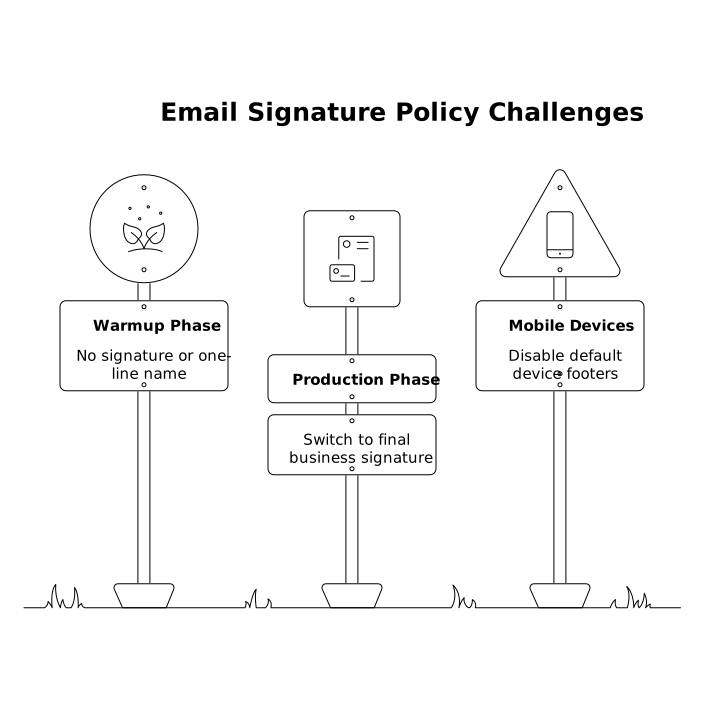
- Warmup phase: No signature or a one-line name only.
- Production phase: Switch to the final business signature you plan to use long-term and keep it stable.
- Mobile devices: Disable default device footers; do not mix “Sent from iPhone” with a corporate signature in the same mailbox.
If you’re managing multiple workflows (domains, inboxes, providers), treat this like a maintainability problem. A lightweight ruleset—similar in spirit to Branching Logic Patterns to Keep No-Code Workflows Maintainable—helps prevent “signature drift” and keeps your warmup environment predictable.
How to audit for signature-driven skew
You don’t need a complex deliverability suite to spot this issue. Start with an audit you can finish in an hour:
- Search sent mail for “Sent from” and count how often it appears per mailbox.
- Compare across providers (Gmail vs Microsoft 365 vs Yahoo). Look for one environment producing most of the device footers.
- Check thread samples from warmup conversations: do replies look consistent in length and structure?
- Confirm settings on mobile clients that automatically append signatures.
If you find a mix, standardize first, then let warmup run long enough to produce a clean, consistent engagement pattern again. The goal isn’t to eliminate mobile behavior forever—it’s to avoid confusing, shifting signals while reputation is being established.