
Why “exportable” matters when you build a no-code frontend
Many teams adopt no-code to ship faster, then hit a familiar wall: you can’t leave without rebuilding. If your frontend is your product (SaaS, portal, marketplace, internal tool), vendor lock-in becomes a technical and business risk. An exportable no-code frontend reduces that risk by letting you keep a standard codebase—ideally one your developers already know, like Vue.js.
In practical terms, “exportable” should mean more than downloading a ZIP file. It should mean you can self-host, maintain, test, and extend the app over time without depending on a proprietary runtime. Platforms like weweb.io position export as a core capability by generating a standard Vue.js single-page application you can own and deploy on your own infrastructure.
A practical checklist to avoid vendor lock-in
Use the checklist below before you commit to a visual builder. It’s written for teams who want the speed of no-code now, but need real Vue.js ownership later.
1) Confirm the export is a standard Vue.js project
- Framework clarity: Verify the export is a real Vue.js app (not a custom wrapper that only resembles Vue).
- Runnable locally: You should be able to install dependencies and run the project with common Node/Vite tooling.
- No proprietary runtime requirement: If the exported app still needs the vendor’s hosted runtime to function, you haven’t truly escaped lock-in.
This is the foundation. If you can’t treat the export like a normal Vue repository, everything else becomes fragile.
2) Check what happens to routing, state, and environment variables
- Routing: Confirm how routes are generated and whether they map cleanly to Vue routing conventions.
- State management: Understand where state lives (component state, a store, a platform layer) and what’s exported.
- Config management: Look for conventional environment variable handling for API base URLs, keys, and per-environment config.
Lock-in often hides in the “glue” between screens. Clean export means predictable routing and configuration that a developer can reason about.
3) Validate data access patterns and API ownership
Your frontend should not be hardwired to a vendor’s database layer. A safer approach is treating the UI as a client of APIs you control.
- External APIs are first-class: The platform should make it easy to connect to any REST/GraphQL endpoint you own.
- Common backends supported: Built-in connectors are helpful (for example Airtable, Xano, or Supabase), but the key is that you can swap providers without rewriting the whole UI.
- Auth flexibility: Ensure your authentication method (JWT, OAuth, SSO patterns) can be implemented without vendor-specific assumptions.
If your no-code tool encourages clean separation of concerns—UI here, backend there—you’re less likely to be trapped later.
4) Inspect custom code and component extensibility
Even in “no-code,” real applications need custom components: a pricing table with edge cases, a proprietary chart, a specialized file uploader.
- Import custom components: Confirm you can bring in coded Vue components and maintain them as part of your system.
- Edit components over time: You should be able to update component code without breaking the visual editor experience.
- Clear boundaries: Make sure custom code doesn’t depend on undocumented internal APIs that won’t survive export.
A platform that supports a “no-code first, code when needed” model helps you avoid rewrites as requirements mature.
5) Review workflows, branching logic, and long-term maintainability
Complex products rarely fail because of UI layout. They fail because logic becomes untestable and hard to change.
- Workflow readability: Can a new team member understand the logic without clicking through dozens of hidden panels?
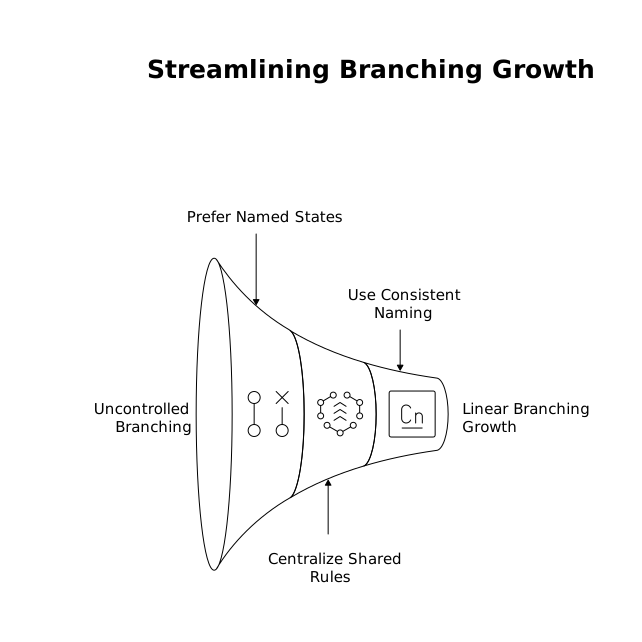
- Branching support: If you have conditional flows (roles, states, feature flags), confirm the platform supports them cleanly.
- Post-export strategy: Ask what logic remains “visual only” versus what becomes explicit code after export.
With AI-assisted generation, you can get to a first version quickly, but you still want logic that stays understandable when the app grows.
6) Confirm hosting freedom and deployment options
- Self-hosting is real: You should be able to deploy the exported Vue app to your own environment (cloud, on-prem, or a CDN).
- One-click hosting is a bonus, not a cage: Managed hosting can be convenient (for example, a global CDN), but it shouldn’t be the only viable option.
- CI/CD compatibility: Ideally, the exported project can fit into your standard build pipeline and release process.
This is where “ownership” becomes tangible: you decide where it runs, how it’s monitored, and how it’s updated.
7) Evaluate pricing signals that can create operational lock-in
Lock-in isn’t only technical. Some pricing models make it too expensive to scale, forcing you to either accept margin pressure or rebuild elsewhere.
- User-based pricing awareness: If costs grow directly with app users, your business model may be constrained.
- Predictability: Prefer pricing that aligns with infrastructure or build-time value rather than punishing success.
WeWeb’s positioning around avoiding per-app-user pricing is one example of how a platform can try to keep scaling economics simpler while still supporting export.
8) Check enterprise and compliance fit early
If you work with sensitive data or regulated industries, lock-in can be amplified by compliance constraints.
- Security model: Understand how the platform connects to internal databases and what network/security options exist.
- Compliance posture: If you need SOC 2, HIPAA, or GDPR alignment, confirm what the vendor states and what you must implement yourself.
Even for smaller teams, these requirements can show up suddenly after a big customer deal—so it’s worth checking early.
How to run a quick “exit drill” before committing
Before you build the full product, run a small pilot that proves you can leave:
- Build a multi-page flow with authentication and at least one complex workflow branch.
- Connect to an API you control (not just a demo database).
- Export the project and run it locally.
- Deploy it to your own hosting environment.
- Make one change in code (for example, a custom Vue component) and verify your team can maintain it.
If that exit drill works smoothly, you’ve materially reduced your lock-in risk while still benefiting from visual speed during development.