
What a “distractor fingerprint” is and why it matters
On the Digital SAT, a wrong answer is rarely random. Most incorrect options are built to match a specific mistake: reading too fast, using the wrong math model, confusing tone words, or ignoring a key constraint. A distractor fingerprint is the repeatable pattern behind the trap that keeps catching you.
The “Distractor Fingerprint” Drill is a simple routine: you don’t just review why the right answer is right. You label why you picked the wrong answer in a consistent way, then you build a fix list that targets your personal trap patterns. Over time, you stop making the same mistake in different disguises.
The drill in one sentence
Every time you miss a question (or feel unsure), you tag the wrong answer with a fingerprint, record the proof you should have used, and assign a tiny practice action that prevents that fingerprint next time.
Step 1: Capture the moment before the explanation rewrites your memory
Right after you finish a module or a short set, pick 5–10 questions where you were wrong or not confident. Before reading any explanation, write two quick notes:
- What did you think the question was asking? (one sentence)
- What convinced you to choose your answer? (a phrase or quote from the passage, or a step from your math work)
This matters because explanations can make the correct logic feel “obvious” in hindsight. Your fix list only works if it’s based on what actually happened in your head.
Step 2: Label the distractor fingerprint
Create a small set of fingerprint labels and reuse them. You can start with 8–12 and refine later. The goal is consistency, not perfection.
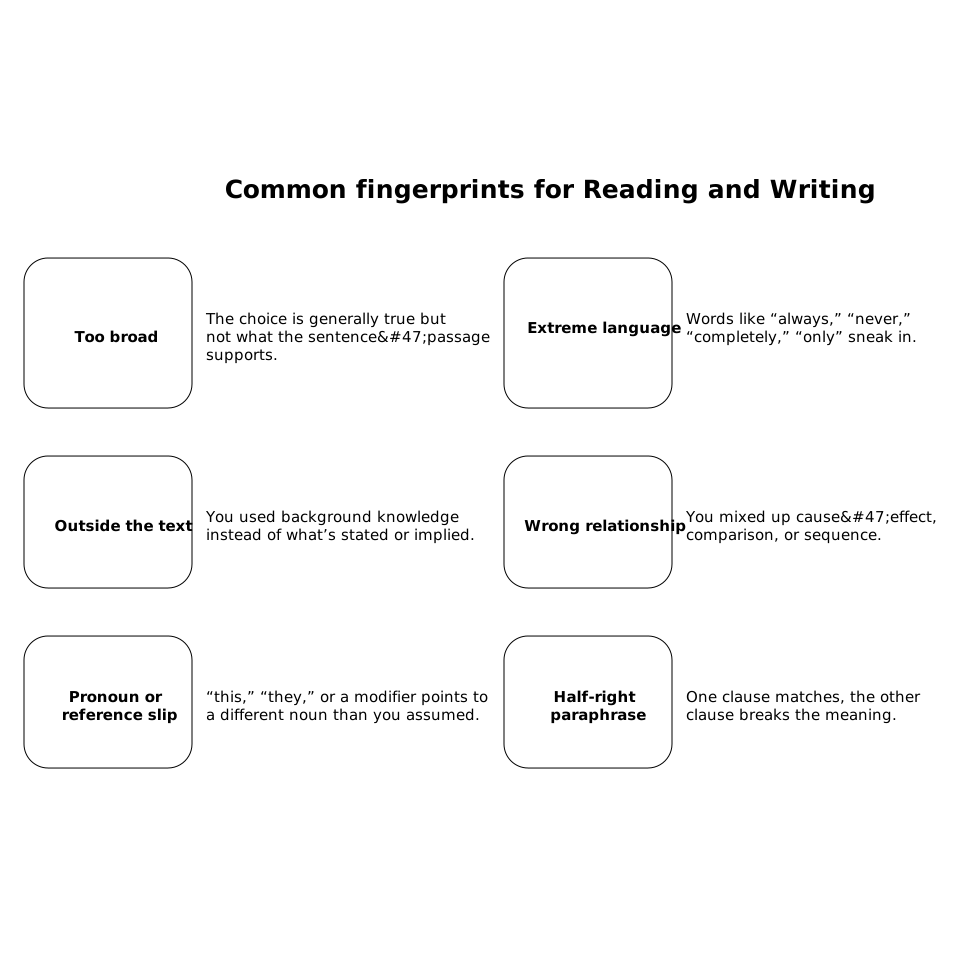
Common fingerprints for Reading and Writing
- Too broad: the choice is generally true but not what the sentence/passage supports.
- Extreme language: words like “always,” “never,” “completely,” “only” sneak in.
- Outside the text: you used background knowledge instead of what’s stated or implied.
- Wrong relationship: you mixed up cause/effect, comparison, or sequence.
- Pronoun or reference slip: “this,” “they,” or a modifier points to a different noun than you assumed.
- Half-right paraphrase: one clause matches, the other clause breaks the meaning.
Common fingerprints for Math
- Model mismatch: you used linear when it’s exponential/quadratic (or vice versa).
- Constraint ignored: domain, units, “integer,” “positive,” or “in terms of” got missed.
- Algebra slip with consequences: small sign/distribution error that changes everything.
- Percent/ratio confusion: percent change vs percent of, part-to-part vs part-to-whole.
- Answer form trap: you solved for x but the question asked for 2x, x+1, or a different quantity.
If your mistakes don’t fit neatly, add your own label. The only rule: every label should point to a specific prevention habit.
Step 3: Find the “proof line” that kills the distractor
To decode a trap, you need a single piece of proof that would have made the wrong choice impossible.
- Reading and Writing: underline the exact phrase that contradicts your choice, or the phrase that uniquely supports the right one.
- Math: write the specific step that exposes the mistake (like checking units, plugging back in, or testing a boundary value).
This proof line becomes the anchor for your fix list. It turns review from “I get it now” into “I’ll catch it next time.”
Step 4: Add it to a targeted fix list with one micro-drill
Your fix list is not a long diary. It’s a short set of repeatable actions. Each entry should include:
- Fingerprint label
- Trigger (what you saw that fooled you: a word, format, or familiar pattern)
- Proof habit (what you will do in 10 seconds next time)
- Micro-drill (2–5 minutes of practice focused on that fingerprint)
Examples:
- Extreme language → Proof habit: circle absolute words, then demand an exact matching line in the text.
- Answer form trap → Proof habit: box what the question asks for and compare it to your final expression before selecting.
- Constraint ignored → Proof habit: rewrite constraints next to your work (e.g., “x is integer,” “t>0,” “in feet”).
How to run the drill weekly without it taking over your life
The best results come from short, consistent review. A simple rhythm:
- After each practice set: tag 2–3 fingerprints and write the proof line.
- Once per week: sort your fingerprints by frequency and pick the top 2 to attack.
- Next week’s goal: reduce those top 2 by building a prevention habit, not by doing random extra questions.
This is also where analytics help. If you can quickly see which skills and question types are slipping, you can connect them to fingerprints and pick the right micro-drills instead of guessing.
Using getsharp to make the drill faster and more consistent
The hardest part of this drill is keeping it organized across weeks. In getsharp, you can treat each missed problem as a data point: tag the mistake pattern, save the key proof you missed, and then focus your next practice on that exact weakness. The value isn’t just more questions—it’s a tighter loop between what trapped you and what you practice next.
If you also use an AI tutor explanation, the drill becomes stronger when you ask one specific follow-up: “What is the shortest proof that eliminates my choice?” That keeps your review aligned with fingerprints instead of turning into a long lesson you won’t reuse.
Two quick “trap decoding” checks that work across the whole test
The 10-second contradiction check
If you’re between two answers, try to disprove one. On Reading and Writing, look for one phrase that makes it impossible. On Math, plug the answer back in or test a simple value. Distractors often fail fast when you force a contradiction.
The “what exactly is being asked?” box
Many wrong answers come from solving the right problem but selecting the wrong quantity. Train yourself to box the target (for example, “the value of k,” “the intercept,” “the best transition”) and compare it to what you actually produced.
When your fingerprints change, your studying should change too
As you improve, your mistakes shift. Early on, you might see many “algebra slip” or “too broad” traps. Later, you may mostly miss the hardest questions because of time pressure or subtle wording. Update your fingerprint list as you go, but keep it small enough that it stays usable.
If you want a framework for turning messy mistakes into a clean system, the same thinking shows up in root-cause work: categorize, count, and fix the highest-impact patterns first. (If you like that style of problem sorting, see this piece on turning issues into a fix-priority heatmap.)
Run the “Distractor Fingerprint” Drill for two weeks and you should notice something specific: the test starts repeating itself. The traps don’t disappear, but they become predictable—and that’s when scores move with less total study time.